Why Epson EcoTank Heads Clog in Mumbai Summers & The Chemical Flush Protocol
AEO Quick Answer
Epson EcoTank printers print horizontal white streaks in Mumbai primarily because ambient heat evaporates volatile glycols in the ink channels when idle, forming hardened resin crusts over microscopic 25-micron piezoelectric nozzles. Automated head cleanings worsen this by sucking air into the dampers; resolution requires bench-level reverse solvent purging and ultrasonic cavitation.
The Symptom: White Horizontal Lines and Missing Colours
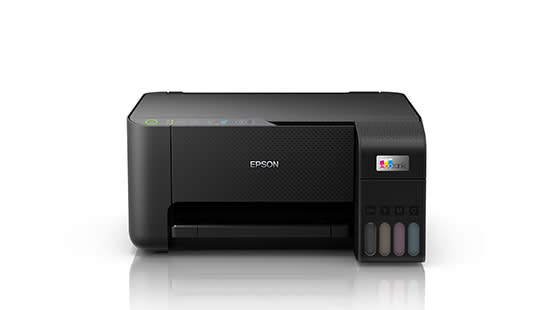
It is a common scenario across Mumbai homes, retail billing counters, and design studios: after leaving your Epson EcoTank (such as the L3110, L3150, L3210, L3250, L4150, or L805 photo printer) idle for a week, printouts emerge with severe horizontal white bands, washed-out text, or completely blank pages. You run an automated nozzle check from your computer, confirm that black or cyan channels have missing segments, and run three consecutive head cleans—only to find the missing segments haven't returned, and your ink levels have visibly dropped.
The Science: Thermal Inkjet vs. Micro Piezo™ Physics
Understanding why automated cleanings fail requires understanding the fundamental physics of Epson's proprietary print technology:
| Technology Feature | Epson Micro Piezo™ | Thermal Inkjet (HP / Canon) |
|---|---|---|
| Drop Ejection Mechanism | Piezoelectric crystal physical flexing | Microscopic boiling & vapor bubble collapse |
| Printhead Lifespan | Permanent component designed for printer life | Consumable cartridge or replaceable cartridge module |
| Nozzle Diameter | Ultra-fine ~20 to 30 microns | 35 to 50 microns |
| Clogging Vulnerability | High when ink solvent evaporates | Moderate (frequent replacement minimizes risk) |
Unlike thermal printers that destroy ink binders through high heat, Epson printers flex a microscopic ceramic crystal when an electrical pulse is applied. While this produces razor-sharp droplets without heat degradation, the nozzle apertures are exceptionally tiny. In Mumbai's hot coastal summers, if the carriage capping station does not form an airtight hermetic seal, the water and co-solvents in the ink rapidly evaporate, leaving dried pigment resin baked directly across the nozzle face.
Why Repeated Automated Software Cleanings Are Destructive
When you click "Head Cleaning" in the Epson printer driver, the printer activates a peristaltic purge pump under the capping station to draw ink through the nozzles by suction. In cases of severe dried clogs, this produces three harmful side-effects:
- Air Cavitation in the Dampers: The suction draws microscopic air bubbles past the damper seals and into the printhead manifold. Air cushions the piezoelectric flex, causing entire colour banks to drop out completely.
- Waste Ink Pad Flooding: Each automated cleaning cycle flushes 10ml to 15ml of costly ink straight into the bottom waste ink sponges. Running 5 or 6 cycles rapidly trips the digital counter, resulting in the dreaded "A printer's ink pad is at the end of its service life" red-light lockout error.
- Coating Delamination: Aggressive dry suction can damage the delicate Teflon anti-wetting surface layer on the nozzle plate.
The Bench Solution: Rex International's 3-Stage Chemical Flush
At our dedicated Mulund West diagnostic bench, our master technicians recover severely blocked EcoTank heads without costly full assembly replacements using a scientific 3-stage protocol:
- Reverse-Pressure Chemical Purging: We connect calibrated low-pressure micro-syringes directly to the head manifold inlet posts. By injecting a proprietary heated surfactant solvent that specifically dissolves dried aqueous pigment resins without dissolving internal silicone seals, we break the hydraulic blockage.
- Controlled Ultrasonic Cavitation: If ink residue has crystallized on the exterior stainless steel nozzle face, the head is suspended in an ultrasonic immersion bath. Microscopic cavitation bubbles gently implode against the outer plate, dislodging hardened crystals without vibrating internal crystal bonds.
- Damper Degassing & Prime Balancing: The internal one-way dampers are bled of all trapped air pockets, re-primed with authentic OEM ink, and checked for valve spring tension.
3 Rules to Prevent Ink Tank Clogs in Mumbai
- Always Shut Down Using the Power Button: Never cut power via the main wall switch. Using the power button allows the carriage to dock firmly into the capping station rubber gasket, preventing air exposure.
- Print One Full-Colour Test Page Every 4 Days: Even a simple colour test pattern circulates fresh wet ink through all 4 or 6 channels, preventing solvent crystallization.
- Use Verified OEM Inks Only: Inexpensive non-OEM ink bottles contain substandard pigment particulate grinds and incorrect surface tension agents that dry out up to 3x faster than genuine ink.
If your ink tank printer has persistent missing lines that standard cleanings cannot clear, avoid burning through ink. Bring your printer to Rex International, Office No. 8, Kamala Nehru Shopping Centre, Mulund West (Mon–Sat, 10:00 AM – 6:30 PM) for our free 30-minute bench diagnostic.
Forward this technical teardown to your CFO, IT administrator, or operations team.
Need Expert Assistance with Your Printers?
Corporate Printer AMC & On-Site Fleet Support
Managing banking teller passbook units, high-volume continuous dotmatrix dispatch machines, or diagnostic lab MFPs? We provide 4-hour breakdown response SLAs, dedicated standby buffer units, and genuine OEM parts dispatched across Mumbai and Thane from our Mulund workshop.
Free 30-Min Diagnostic at Mulund Workshop
Facing blank lines, toner streaks, paper jams, or printhead errors? Walk into our Mulund West workshop (Office No. 8, Ground Floor, Kamala Nehru Shopping Centre, next to Vikas Centre) between 10:00 AM and 6:30 PM, Monday through Saturday.